
AI image generator on ChatGPT Images
GPT Image 2.5
Paid accounts · 1K / 2K / 4KChoose GPT Image 2.5 Flare or Sunburst for text to image and reference editing. Both offer 1K/2K/4K and auto quality for paid accounts.
Create with GPT Image 2.5
Drag, paste, or
Supported types: PNG, JPEG, JPG, WEBP, HEIC, URL
Prompt examples: one bottle, two settings
These are Flare-alias outputs generated with gpt-image-2.5: a 1K original (1024 × 1024) and a 2K edit (2048 × 2048) using it as a reference. They are not Sunburst samples or variant comparisons.
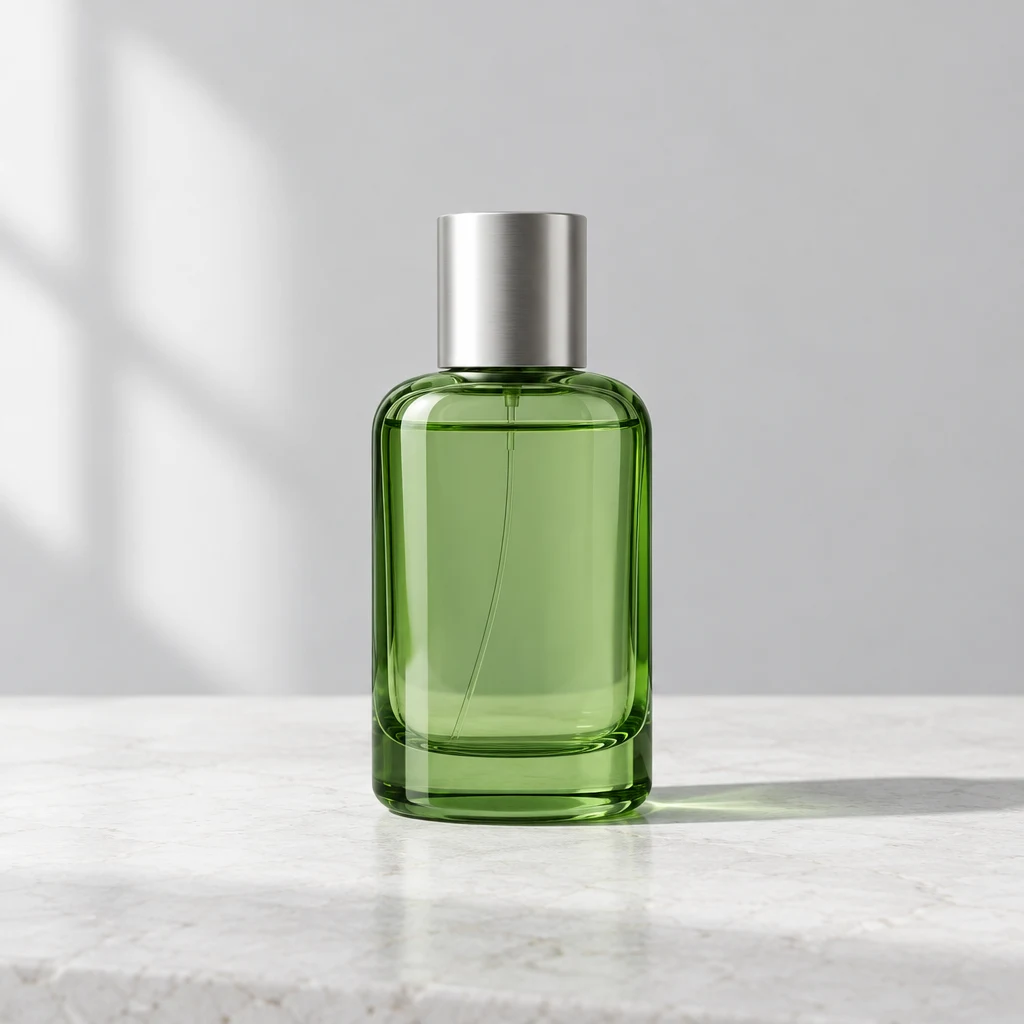 01 / 1K
Product photography at 1K
The generated original places a green glass bottle with a silver cap on a white stone surface, against a light gray backdrop.
Use prompt
A studio product photograph of one unbranded translucent green glass perfume bottle with a simple silver cap, centered on a white stone surface against a light gray seamless backdrop. Natural window light from the left, a precise soft shadow, clean editorial composition. No text, no logo, no other objects. Square composition.
Text to image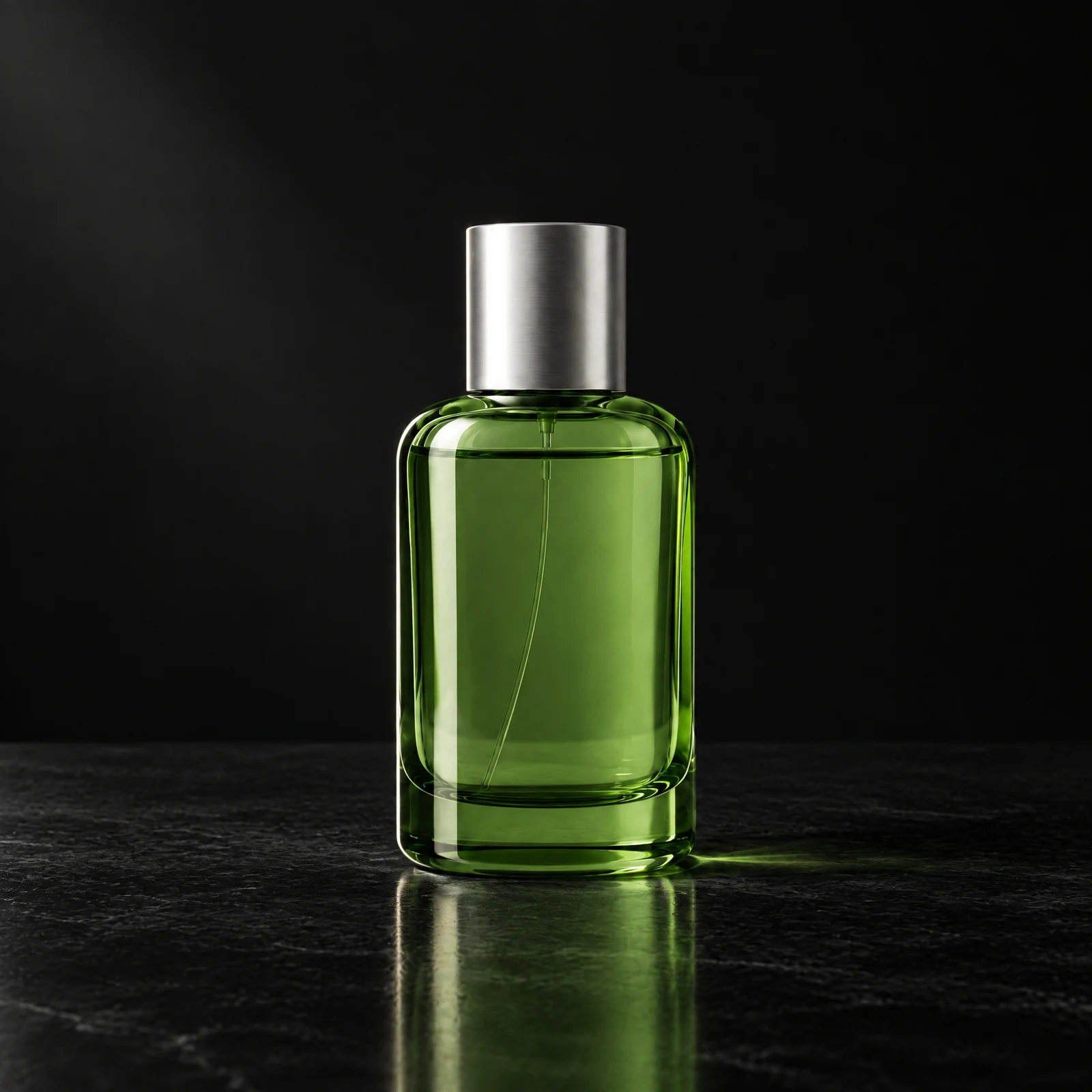 02 / 2K
Reference-based editing at 2K
The edited output keeps the recognizable bottle and silver cap, with a black surface, dark backdrop and defined side lighting.
Use prompt
Edit this product photograph. Keep the same green glass perfume bottle, silver cap, proportions, position and camera angle. Change only the surface and backdrop to deep black with a restrained side light that outlines the glass. Preserve the product identity. No text, no logo, no extra objects.
Image to imageGPT Image 2.5: text to image and image editing
Start with a clear brief: subject, materials, lighting and framing. GPT Image 2.5 supports text to image and reference-based editing, so an initial idea can become the starting point for further variations.
Develop scenes for product listings, social campaigns and editorial layouts, then adapt them for new settings. This ChatGPT Image 2.5 workflow combines creation and reference-based editing, helping you compare visual directions before preparing a final asset.
Shape your creative workflow
Build from a written brief
Explore product scenes, editorial concepts or campaigns from text. Materials and lighting establish your visual direction.
Edit with a reference
Upload an image and describe what should change and what should stay. Review identity, edges and reflections after each variation.
Choose 1K, 2K or 4K
Select resolution separately from aspect ratio. Match the output to its destination and check the credit cost before submitting.
Automatic quality setting
Quality is set to auto. Focus on the brief and composition; there is no separate quality tier to select.
Plan, generate and review
- 01
Choose your starting point
Use text to image for a new scene, or image to image with a reference you have permission to use.
- 02
Set the brief and budget
Describe the desired result, choose aspect ratio and resolution, and confirm your paid account access and available site credits.
- 03
Inspect before publishing
Check product details, unwanted objects and any lettering. Refine one change at a time and budget credits for further generations.
Flare and Sunburst site-credit pricing
Per image at 1K/2K/4K: Flare costs 50/70/100 site credits; Sunburst costs 75/105/150, a 50% premium. Both require paid accounts and use auto quality. These prices use site credits, not provider units.
View plans and credits| Resolution | Flare | Sunburst |
|---|---|---|
| 1K | 50 | 75 |
| 2K | 70 | 105 |
| 4K | 100 | 150 |
GPT Image 2.5 questions
Which GPT Image 2.5 versions are available?
Choose APIAny's gpt-image-2.5-flare or gpt-image-2.5-sunburst. The generic gpt-image-2.5 remains a backward-compatible Flare alias. Both support text to image and image editing. ChatGPT Images is independent, not OpenAI's official website.
Who can use both variants, and at what price?
Both require a paid account and sufficient site credits. At 1K/2K/4K, each Flare image costs 50/70/100 credits; each Sunburst image costs 75/105/150. Sunburst costs 50% more at every resolution.
What is the difference between text to image and image to image?
Text to image starts with a written description. Image to image combines an uploaded reference with instructions. Specify the intended change and details to preserve, then review them in the result.
Is resolution the same as aspect ratio?
Resolution selects the 1K, 2K or 4K tier and credit cost. Aspect ratio describes width relative to height. Choose both for your layout; 4K can be square or another supported shape.
How can I improve prompts and text accuracy?
Name the subject, framing, materials and lighting. For lettering, specify exact short wording and placement, then check each character. Text can need correction; add critical brand copy in an editor when precise typography matters.
How does it compare with GPT Image 2?
Choose according to your workflow: a new scene, product photography or an edit based on a reference. Compare the same brief at suitable settings, looking at composition, instruction following, reference fidelity and credit cost to find the right fit.