
New · Powered by GPT Image 2.6
AI GIF Maker
Paid accounts · 50 credits per GIFDescribe a subject and the motion you want, and this AI GIF maker turns it into a short, looping animated GIF with GPT Image 2.6. Paid accounts get one GIF per run.
Make a GIF from text
GIF examples made with this page
Both GIFs were generated with GPT Image 2.6 on 5 November 2026 and are shown as returned. The coffee loop is 379 × 252 pixels with 16 frames; the cat is 438 × 390 pixels with 9 frames.
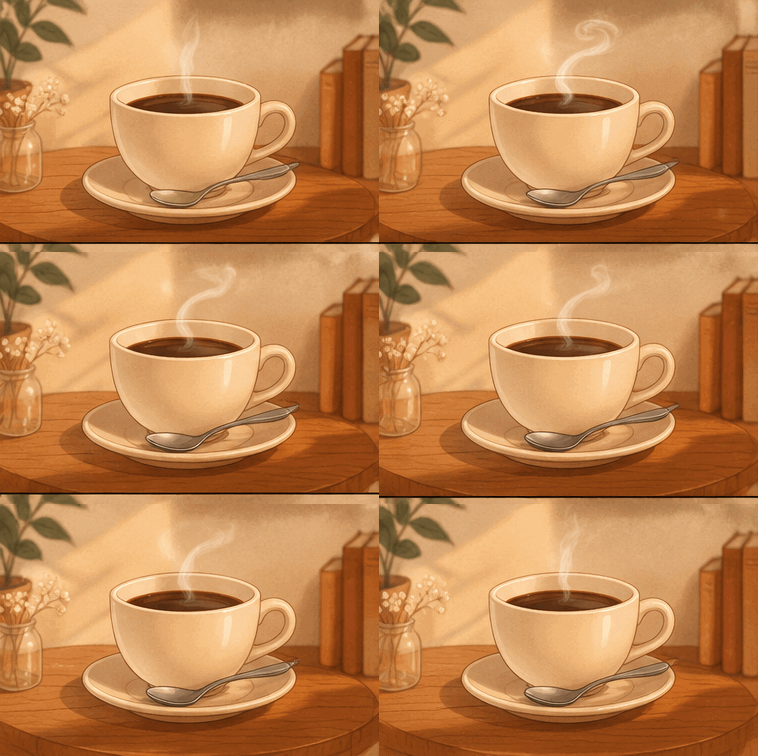 16 frames · 379 × 252
A steaming coffee loop
Steam drifts above a cup of coffee on its saucer while the spoon shifts slightly, in a warm illustrated scene with books and a small plant.
Use prompt
A steaming cup of coffee on a small wooden table, steam curling and drifting upward, a tiny spoon wobbling on the saucer. Cozy flat illustration with warm colors.
Make this GIF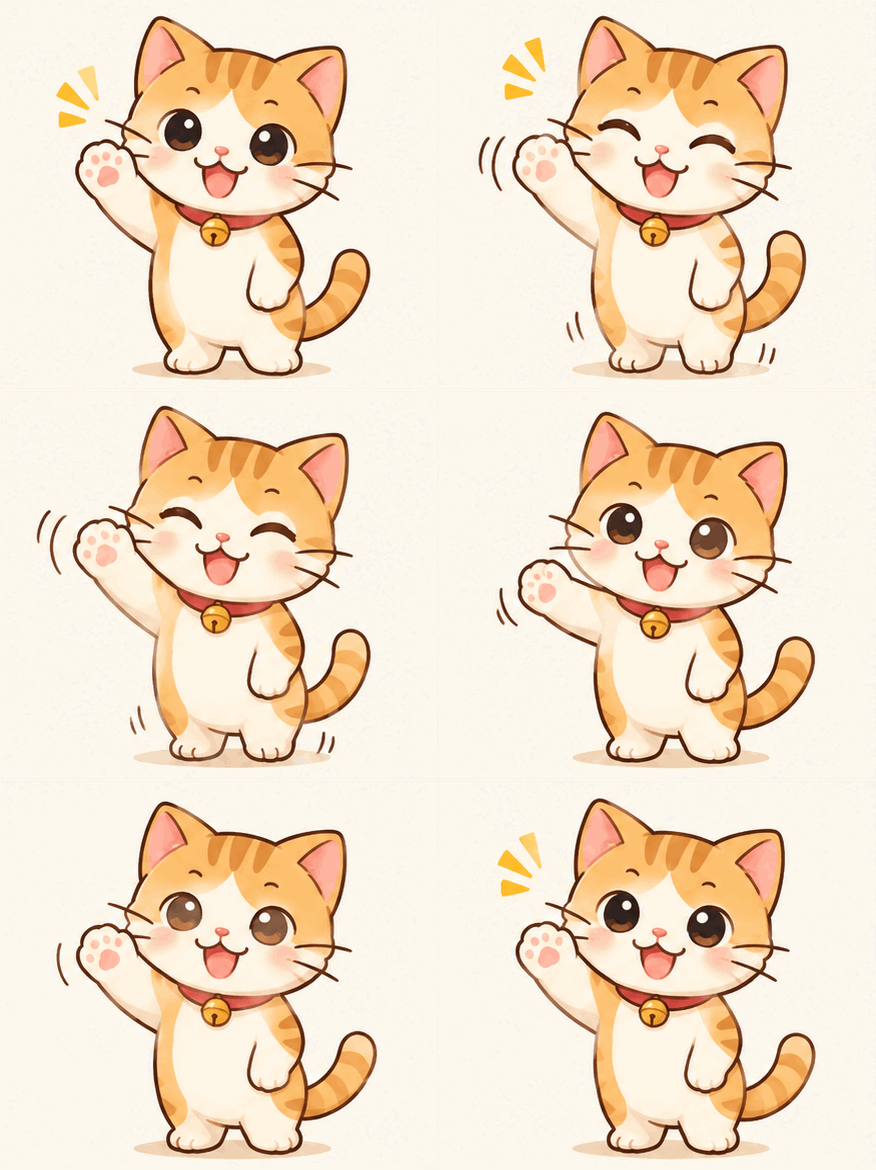 9 frames · 438 × 390
A cartoon cat waving hello
An orange cartoon cat with a red collar and bell waves its paw on a plain cream background, a short loop that works as a greeting sticker.
From a sentence to a looping animation
Write what should be on screen and how it should move: steam rising, a paw waving, leaves drifting. The site adds a loop instruction to your prompt, and GPT Image 2.6 returns the animation as a GIF file.
The model decides how many frames to draw, how long each one lasts and the pixel size. Our samples came out small and web-sized, which suits reactions, stickers, chat messages and simple product loops.
What the AI GIF maker does
Text to GIF
Start from a written prompt. Name the subject, the style and the one or two movements that should repeat.
Loops by default
Every request asks for a short, seamless loop with clear motion between frames, so the result plays smoothly on repeat.
A real .gif file
Download the result as an animated GIF that plays in chats, documents, slides and most websites without extra software.
Simple settings
There is no frame count, duration or size to set. The model chooses them, and each run returns one GIF.
How to make an AI GIF
- 01
Describe the scene and motion
Write one subject, a style and the movement, for example "steam curling upward" or "waving one paw".
- 02
Generate the GIF
Check that your paid account has at least 50 site credits, then generate. Each run makes one GIF.
- 03
Review and download
Watch the loop, then download the .gif. If the motion is off, describe it more plainly and try again.
Prompt tips for better GIFs
- Keep it to one subject and one or two movements. Busy scenes leave less room for clear motion.
- Describe the motion with verbs: drifting, waving, blinking, bouncing, spinning slowly.
- Flat illustration, cartoon and pixel art styles read well at small GIF sizes.
- Leave out long text. Small lettering is hard to keep sharp across frames.
Good to know
- GIFs are made from text only. Uploading a reference image is not supported for GIFs.
- Frame count, timing and pixel size are decided by the model. Our samples were under 450 pixels wide.
- Image tools such as background removal and upscaling work on still images, so they are not available for GIFs.
- Need a sharp still image instead? Use GPT Image 2.6 for 1K images and edits.
AI GIF maker pricing
Each GIF costs 50 site credits and requires a paid account. A still 1K image with GPT Image 2.6 costs the same. Credits are only deducted after a successful generation.
View plans and credits| Output | Site credits |
|---|---|
| Animated GIF | 50 |
| Still image · 1K | 50 |
AI GIF maker questions
How does the AI GIF maker work?
You write a prompt, and GPT Image 2.6 draws a short animation and returns it as a GIF file. The site adds an instruction to make it a smooth, seamless loop. ChatGPT Images is independent, not OpenAI's official website.
How much does a GIF cost?
Each GIF costs 50 site credits and requires a paid account. If a generation fails, no credits are deducted.
Can I set the number of frames, speed or size?
No. The model decides the frame count, frame timing and pixel size. In our tests it returned 9 to 16 frames at under 450 pixels wide.
Can I turn my own photo into a GIF?
Not yet. The AI GIF maker only works from text. To edit a photo, use image to image with GPT Image 2.6 or another model.
Does the GIF loop?
Yes. Every request asks for a seamless loop, and the downloaded .gif repeats when it plays in browsers and most chat apps.
Can I use the GIF with the other image tools?
Not at the moment. Background removal, upscaling and the other tools process still images, so they would keep only one frame of a GIF.