
Text to GIF Generator
Type a word or a short line, pick an animation, and this text to GIF generator turns it into a looping animated GIF you can download right away. It runs in your browser, so it is free, needs no account and adds no watermark.
Make an animated text GIF
Up to 3 lines and 60 characters. Press Enter for a new line. Emoji work if your device can show them.
Everything happens in your browser: your text is not uploaded and no credits are used.
480 × 270 px · 40 frames · 2.0 s per loop
Want a whole animated scene instead?
Send the same words to the AI GIF Maker and GPT Image 2.6 draws them into a scene, such as a neon sign or balloon letters. Paid accounts, 50 credits per GIF.
Make it with AIHow to make a GIF from text
- 01
Type your words
Enter a word, a name or a short phrase. Use up to three lines; short text reads best in a small looping GIF.
- 02
Pick an animation
Choose typewriter, neon glow, bounce, wave, rainbow, pulse, glitch or slide in. The live preview plays the loop exactly as it will be saved.
- 03
Set the style
Choose a font, a size, the text and background colors or a transparent background, and a slow, normal or fast speed.
- 04
Create and download
Click Create GIF. The frames are drawn and encoded on your device in a few seconds, then you can download the .gif file.
Text animation effects
Every effect loops without a visible jump, so the GIF can play forever in a chat, a post or on a web page.
Typewriter
Letters appear one by one behind a blinking cursor, then the full line holds before the loop restarts. The loop gets longer for longer text.
Neon glow
The text glows like a neon tube, breathes and flickers off twice per loop. It looks best with a bright color on a dark background.
Bounce
Each letter jumps in turn from left to right, a playful choice for greetings and reactions.
Wave
The letters ride a smooth wave that keeps moving across the word.
Rainbow
Every letter cycles through the color wheel, so the chosen text color is replaced by moving rainbow colors.
Pulse
The whole text grows and shrinks gently like a heartbeat, useful for a call to action or a sale banner.
Glitch
Short bursts of red and cyan color split and a shifted band give the text a broken-screen look.
Slide in
The text slides in from the left, holds in the middle and slides out to the right.
Text to GIF with AI
The tool above animates the letters you type. When you want a picture around the words, or a GIF from a description with no words at all, use the AI GIF maker: you write a prompt and GPT Image 2.6 returns a short looping GIF.
AI GIFs need a paid account and cost 50 credits each. The model decides the frame count, timing and pixel size, and it draws letters itself, so check the spelling and keep the words short.
Made with the AI GIF maker from one-line prompts
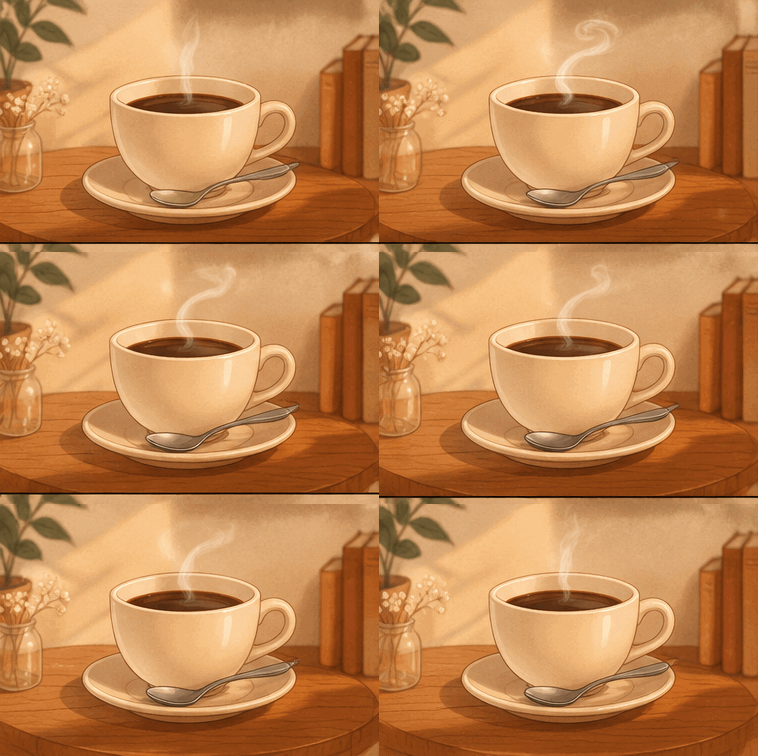
A steaming cup of coffee on a small wooden table, steam curling and drifting upward, a tiny spoon wobbling on the saucer. Cozy flat illustration with warm colors.
A cheerful cartoon cat waving hello.Prompts with words to try
A short looping animation of the words "Happy Birthday" as a glowing pink neon sign that flickers on a dark brick wall.Try this promptA short looping animation of the word "SALE" as shiny red balloon letters bouncing one after another on a white background.Try this promptA short looping animation of the words "Good Morning" written in steam rising from a cup of coffee, cozy flat illustration.Try this prompt
Tips for a readable text GIF
- Keep it short. One to three words are easy to read in a small GIF that loops every couple of seconds. For a longer phrase, choose the slow speed.
- Use strong contrast. Light text on a dark background, or dark text on a light one, stays readable when the colors move. Neon and glitch work best on dark backgrounds.
- Choose the size for where it goes. Square fits chat replies and social posts, banner fits a website header or an email signature, and the 128 × 128 size suits a custom emoji or reaction.
- Be careful with transparency. A GIF pixel is either fully transparent or fully opaque, so soft edges become hard. Transparent text looks best on a background similar to the one it will sit on.
Text to GIF FAQ
Is this text to GIF generator free?
Yes. The animated text tool runs in your browser, needs no account, uses no credits and adds no watermark. Only the separate AI GIF maker needs a paid account.
Is my text uploaded anywhere?
No. The frames are drawn and encoded into a GIF on your device, and the text you type is not sent to our servers.
Can I make a text GIF with a transparent background?
Yes. Tick Transparent background before you create the GIF. GIF supports only fully transparent or fully opaque pixels, so edges look smoothest on a background close to the one you place the GIF on.
Can I use emoji or other languages?
Yes, as long as your device has a font for them. Scripts whose letters join, such as Arabic, and right-to-left scripts animate one line at a time so the letters stay connected.
How long is the GIF and does it loop?
The GIF loops forever. Most effects last 2 seconds per loop at 20 frames per second, typewriter gets longer with longer text, and the slow and fast speeds stretch or shorten the loop. The file size is shown before you download.
Can I add text to an existing GIF here?
No. This page creates a new GIF from your words; it does not open or edit a GIF you already have.
Can AI turn a text description into a GIF?
Yes. The AI GIF maker turns a written prompt into a short looping GIF with GPT Image 2.6. It needs a paid account, makes one GIF per run and works from text only.
Related tools
Put your words in motion
Type a line, pick an effect and download a looping GIF in seconds, free and without signing up.
Make a text GIF